How to Check Your PNR for a Visa Reservation on the Airline Website
- A PNR is the booking reference that airlines use to identify your reservation
- Your surname must match your passport exactly, including spelling and order
- A flight reservation is a real airline booking record, not a ticket, and it does not guarantee a visa
- Check the reservation shows the correct flight dates, route and passenger name before you submit anything
- If the PNR returns no result, contact the airline or the provider who issued it before assuming an error on your side
What a PNR actually is and why visa teams ask for it
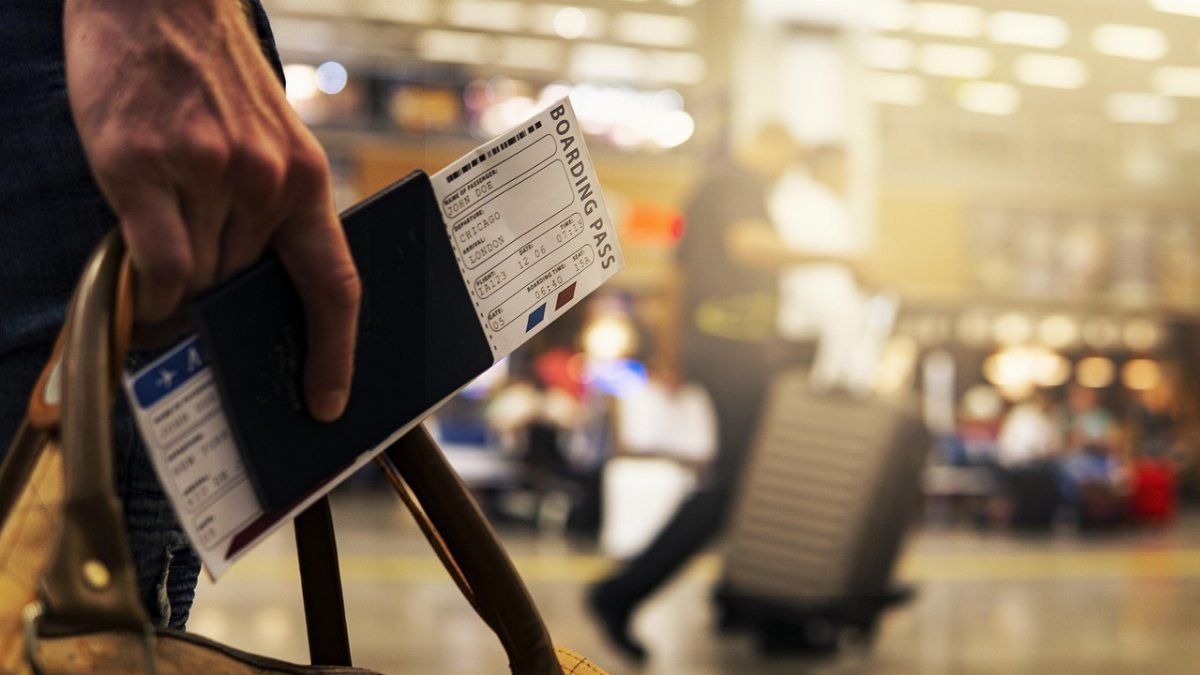
A PNR, short for Passenger Name Record, is the six-character booking reference an airline gives you when a reservation is made. It usually looks something like K7P2QX: a mix of capital letters and numbers, with no spaces. Think of it as the key that opens one specific booking in the airline's own system.
Visa teams ask for it because a PNR points to a record that exists on the airline's side, not just a document you have made yourself. When a case officer or a reviewer wants to see your planned travel, the reference lets them look up the same itinerary, the names on it and the dates, in the airline's system. That is why a PNR is far more useful than a loose screenshot or a PDF with no traceable source behind it.
Take a student from Leeds with an offer to study in Toronto, who has booked a reservation from Manchester to Toronto on a Canadian carrier. The booking reference on the confirmation is the thing that connects the application form to that real reservation. Without it, the file relies on your word alone, and the reviewer has nothing to check against.
It is worth being clear about what the reference does and does not do. It confirms that a reservation exists under that name, on those flights, held with that airline. It does not promise that a visa will be granted, because the embassy or consulate makes that decision on the whole file, and a reservation is only one part of it.
If you are arranging a flight reservation for visa purposes through HappyVisiont, you will receive a genuine airline booking with its own PNR, delivered as a PDF within two hours, so the reference you show is one the airline can confirm.
Where to find your PNR in your confirmation email
Your PNR, or booking reference, is usually a six-character code made of letters and numbers, and it sits near the top of your confirmation email. Airlines tend to print it in a larger or bolder font under a heading such as "Booking reference", "Confirmation code" or simply "Reference". If you can see a line that reads "Ticket number" or "E-ticket number", that is a different thing, and it is worth reading the email slowly before you copy anything.
The ticket number is normally a long run of digits, often thirteen of them, sometimes split by a dash after the first three. It identifies the ticket issued against the reservation and is the figure used for issues like refunds. The order number, where a booking site adds one, may look similar to a PNR but is the seller's own record. Visa teams want the airline's PNR, because that is what the carrier can search for when someone checks the file.
For example, suppose a student in Manchester is applying for a visa and receives a PDF for a Manchester to Lagos itinerary. The email may show a six-character code near the top, a thirteen-digit ticket number further down, and a seller order reference in the footer. Only the first of these belongs on the form as the PNR.
Before you copy anything, compare the code against the itinerary page inside the PDF so you know they match. If the email and the PDF differ, pause and confirm which reference the airline has issued.
Step by step: checking the reservation on the airline website

Once you have your reference, the checking itself takes only a few minutes. Most airline websites have a "Manage booking" or "Manage my trip" page, usually linked from the top of the homepage or the footer. Open it in a private or incognito window if you can, so that old searches and saved details do not get in the way.
On the manage booking page you will see two or three boxes. Choose the option that asks for a booking reference, sometimes labelled PNR, record locator or confirmation code, and not the option for a ticket number, which is a different, longer number. Type the six-character reference exactly as it appears, with no spaces. The reference is letters and numbers, so take care to tell a zero from the letter O and a one from the letter I.
Next, enter the surname of the first passenger exactly as it appears on the passport, followed by the search button. A UK applicant flying with a non-UK carrier, for example someone booked from London Heathrow to Lagos on a Gulf or African airline, will find the page is often in that carrier's own time zone, so do not be alarmed if the departure time looks different from what you expect. When the results load, select the reservation and open the itinerary view. That page lists each flight, date, departure and arrival airport, and the passenger names, which is what an embassy will compare with your application.
Which surname and details to enter, and why spelling matters
When you look up a booking on the airline website, the page usually asks for more than the reference alone. Most carriers ask for your surname as it appears on the booking, and some also ask for the first name, the date of travel or the departure airport. Use the details exactly as they were entered when the reservation was made, which should match your passport. If a visa officer compares the two documents, the spelling is what they will check first.
Start with the surname exactly as printed on your passport's data page. If your passport shows "O'BRIEN", type it with the apostrophe if the form allows it, or without it if it does not. Hyphens and spaces in double-barrelled names are handled differently by different airlines, so try the version the reservation was made under and then the other one. Accents work the same way: an "é" on the passport is usually entered as a plain "e", because most booking systems do not store accented characters.
A common example is a Nigerian-born applicant living in Manchester whose passport reads "ADEYEMI-OKAFOR" and whose booking was made as "ADEYEMI OKAFOR" with a space. The reservation will still load if you enter the surname the way the carrier stored it, but the name on the itinerary must match the passport for the embassy to accept it. Check that the first name and any middle name also agree, since a missing middle name can cause the lookup to fail.
If a field asks for a date of birth or nationality, enter what appears on your passport and nothing else.
What you should see when the reservation is live
When you open the airline's manage-booking page and enter your details, the reservation should come back with a clear set of facts. Run through them one by one, because a booking can show up and still contain a mistake that matters to a visa officer.
- Passenger name: It should match your passport exactly, in the same order and spelling, including any middle name.
- Route: Each leg should show the departure and arrival airports you expect, for example London Heathrow to Istanbul, or Manchester to Dubai on the way out.
- Dates: The outbound and return (or onward) dates should be the ones you agreed, and the times should be shown in local time at each airport.
- Flight numbers: Every segment should have a flight number, usually two letters followed by digits, and it should match the number in your confirmation email.
- Status: Each segment should read confirmed or ticketed. Anything showing as waitlisted, pending or cancelled needs attention before you submit.
Take a moment to compare these against the document you intend to send. Suppose you are a UK applicant from Leeds travelling to Nairobi, with a stop in Doha. You should see Leeds Bradford or London as the origin, a connection in Doha, and the final arrival in Nairobi, with each leg listed separately. If the stop is missing, or the arrival city is wrong, the reservation does not tell the story your application needs.
If something looks off, contact the airline or the reservation service before you submit, rather than hoping the embassy will overlook it.
Checking a reservation booked for a UK applicant on a non-UK carrier
When a UK applicant books on a carrier based overseas, the checking process stays familiar but a few details shift. The airline's booking system may show times in the local time zone of the departure airport, not in UK time, so an evening flight from Istanbul or Dubai can appear to be on a different date when you read it on a UK clock. Before you rely on a date, confirm which zone the airline is quoting and work it through once.
Overseas carriers also tend to host their manage booking pages on their own domain rather than through a UK travel portal. Use the carrier's official site, reached by typing its address directly or following the link from your confirmation email, and avoid third-party copies that may be out of date. Enter the PNR, the surname exactly as it appears on your passport, and the reservation will load in the carrier's own layout, which can look different from what you expect.
Take a real example. Suppose a British applicant from Leeds holds a reservation with a carrier flying Leeds Bradford to Istanbul with a connection, and the outbound leg departs at 23:40 local time. On the airline page, the date reads as the same evening, but a UK reader might mistake it for the following morning. Checking the times against the airport's time zone prevents that confusion before the file goes in.
What to do if the PNR shows no result
When the PNR search returns nothing, the first thing to do is stay calm, because the reservation usually still exists and the problem is almost always a small mismatch between what you typed and what the airline holds. The most common cause is a typo in the reference itself. PNRs are six characters long and mix letters with digits, so a 0 can be mistaken for an O, or a 1 for an I. Copy the code straight from the PDF rather than retyping it from memory.
The second likely reason is that the name does not match. Airlines hold the name exactly as it appears on the passport, so a booking made under a shortened name, a maiden name, or a name with a missing middle name will fail a search that uses the spelling you expected. Try the name exactly as printed on the passport before assuming anything is wrong.
A third possibility is that the hold has lapsed. Many reservations made as a hold are released automatically if they are not confirmed or paid for within a set window, so a reference that was live last week may now show nothing. If the reservation was a held booking, check whether it was ever confirmed.
For example, a Nigerian applicant in Manchester whose booking was made through an agent on a Lagos to London route might find the search fails because the agent entered "Chinwe" where the passport reads "Chinwendu". Correcting the name to match the passport resolves it at once.
If the details are correct and the search still fails, contact the service that issued the reservation, quoting the order number and the exact reference you tried. They can confirm whether the booking exists, was released, or was made under another name, and they can reissue a verifiable record if needed.
Common mistakes and what to check before you submit
Before you send anything to a visa centre or an embassy, it is worth a quick, calm check, because small slips cause most of the confusion we see. The most common is a date that has been entered the wrong way round, such as 04/06 read as 6 April by one person and 4 June by another. Write the dates out in full, for example 4 June 2025, in the same format on your form, your reservation and any covering note, so nobody has to guess.
Name mismatches come next. The name on the reservation should match your passport exactly, including any middle name, accents, hyphens and the order of surname and given names. A reservation under "Jon Smith" will not sit neatly beside a passport that reads "John Michael Smith", even if it is the same person, so raise any difference before you submit rather than after.
Screenshots are another frequent problem. A capture that cuts off the reference at the edge, or crops out the flight numbers and times, leaves the reviewer with something they cannot verify. Take the whole screen, check that the six-character reference is fully visible, and make sure the route and date appear in the same frame. A reference you have typed out by hand should always be checked against the original.
For example, a UK applicant booked from Manchester to Istanbul might type their surname in lower case, which is fine, but then mistype one letter of the reference and send a screenshot of a different booking altogether. A single read-through of the reference against the airline's page would have caught it.
Useful next steps
- Work out your dates with the free visa timeline planner and check your papers with the reservation validity checker.
- Read: How to Verify a Flight Reservation (PNR) on the Airline Website
- Read: Onward Ticket for Visa: Reservation, Refundable Ticket or Paid Ticket?
Frequently asked questions
Can I check a PNR without an account?
Usually yes. Most airlines let you search with the booking reference and surname on their manage booking page.
Does a PNR prove I have a visa?
No. A PNR is a booking record that shows a flight reservation exists. The embassy decides the visa, and the record only supports your application.
What is the difference between a PNR and a ticket number?
The PNR is the booking reference. A ticket number is issued when a fare is paid and ticketed, and the two are often shown together on the confirmation.
Why does my PNR say the name does not match?
The surname or passenger name entered must match the booking exactly. Check the spelling against your passport and try again.
How long does a flight reservation stay valid?
This depends on the airline and the booking type, so check the expiry or time limit shown on your confirmation email.
Can HappyVisiont help me get a flight reservation for a visa?
Yes. HappyVisiont can arrange a flight reservation with a real airline booking reference, delivered as a PDF within two hours, so you can check the PNR yourself on the airline site.
Is a flight reservation the same as a ticket?
No. A reservation is a booking record with an airline reference. A ticket is paid for and lets you fly.
More from the blog

Dummy Flight Ticket for Schengen Visa: What Embassies Actually Check
Short answer: A dummy flight ticket is not a valid document, and most Schengen applicants from the UK actually need a flight reservation: a real airline booking ...
Schengen, UK and USA Visas: How Travel Proof Differs
Short answer: Schengen, UK and USA visa offices all ask for some evidence of your onward or return travel, but they weigh it differently and none of them decide ...

Student Worker Visa Flight Reservation UK: Onward Travel Plans for Visa Files
Short answer: A student worker visa flight reservation is a real airline booking record with a booking reference, showing when you plan to travel to or from the ...